개발
[Docker] 도커 공식문서로 배우기 (2): 컨테이너에서 개발하기
devracoon
2026. 1. 9. 19:51
이번 글에서는 컨테이너를 사용해서 개발환경 설치 없이 개발을 해보겠습니다.
프로젝트 세팅과 실행
`git clone https://github.com/docker/getting-started-todo-app`
docker docs에서 제공하는 샘플 프로젝트를 아무 경로에서나 클론합니다.
`cd getting-started-todo-app` 등으로 해당 경로로 이동합니다.
`docker compose watch`로 복제한 프로젝트를 시작합니다.

[+] Running 9/9o docker.io/library/getting-started-todo-app-backend:latest                                                                                                     0.0s
 ✔ Service client                                     Built                                                                                                                   64.2s
 ✔ Service backend                                    Built                                                                                                                  133.9s
 ✔ Network getting-started-todo-app_default           Created                                                                                                                  0.1s
 ✔ Volume "getting-started-todo-app_todo-mysql-data"  Created                                                                                                                  0.0s
 ✔ Container getting-started-todo-app-proxy-1         Started                                                                                                                  1.6s
 ✔ Container getting-started-todo-app-mysql-1         Healthy                                                                                                                 17.0s
 ✔ Container getting-started-todo-app-phpmyadmin-1    Started                                                                                                                  1.6s
 ✔ Container getting-started-todo-app-client-1        Started                                                                                                                  1.3s
 ✔ Container getting-started-todo-app-backend-1       Started                                                                                                                 16.8s
Watch enabled
이후 http://localhost로 접속하면 완성된 투두앱 하나를 만날 수 있습니다.
프로젝트에 변경 가하기
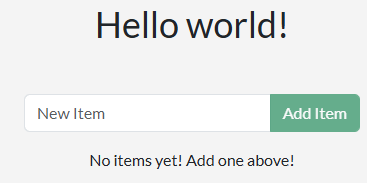
프로젝트 디렉토리로 돌아가보겠습니다.
저는 React도 Node.js도, mysql 등 아무것도 설치해 준 적이 없는데 이 프로젝트는 저것들로 잘 돌아가고 있습니다.
이제 소스를 조금만 바꿔보고, 도커의 빠른 변경사항 적용을 확인해보겠습니다.
완성돼있던 백엔드에 greeting이라는 API가 있네요.
이 API는 `/api/greeting`으로 요청하면 `{"greeting":"Hello world!"}`로 응답합니다.
// backend/src/routes/getGreeting.js

const GREETING = 'Goodbye world!';

module.exports = async (req, res) => {
    res.send({
        greeting: GREETING,
    });
};
getGreeting의 응답을 조금 변경했습니다.
이렇게 파일을 저장하고 즉시 브라우저에서 `/api/greeting`요청을 반복해보았습니다.
앱이 변경되는 아주 잠깐 동안 Bad Gateway 응답을 받았고, 이후 `{"greeting":"Goodbye world!"}` 응답을 받았습니다.
도커 컨테이너를 사용하면
- 설치 과정을 획기적으로 간략화할 수 있습니다.
- 또한 변경사항을 즉시 확인할 수 있습니다.